VintaSoft Barcode .NET SDK 16.0: Documentation for Web developer
In This Topic
Recognize barcodes in image in ASP.NET Core application
In This Topic
This tutorial shows how to create a blank ASP.NET Core Web application in Visual Studio .NET 2026 and recognize barcodes in image in ASP.NET Core application.

Here are steps, which must be done:
  1. Create a blank ASP.NET Core Web application.

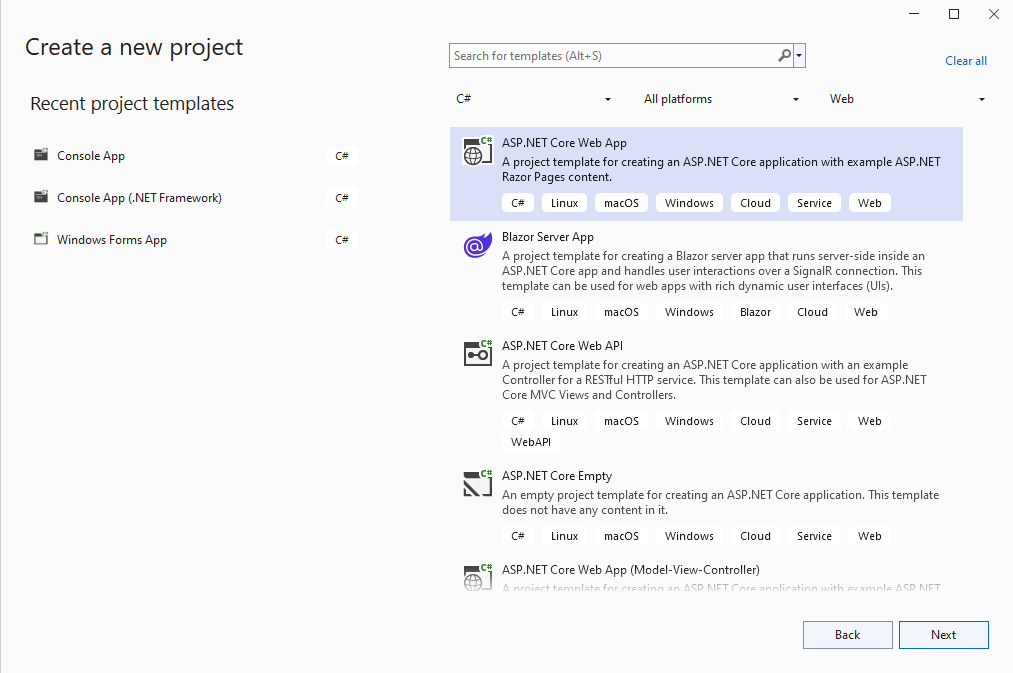
    Open Visual Studio .NET 2026 and create a new project, of "ASP.NET Core Web App (Model-View-Controller)" application type:

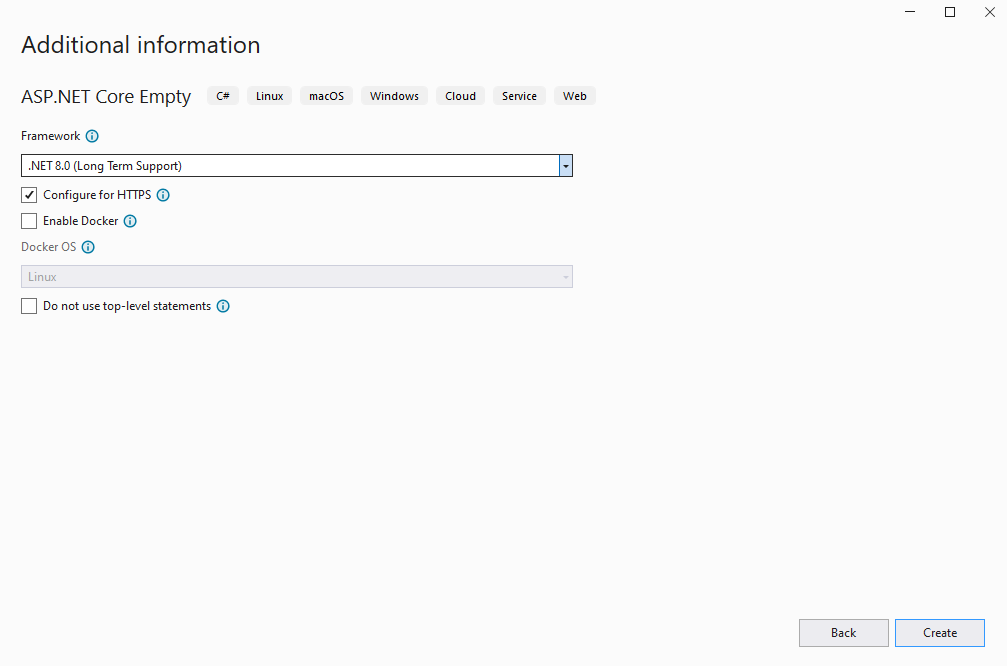
    Configure the project to use .NET 10.0:

  2. Server side: Add references to the nuget-packages to ASP.NET Core Web application.

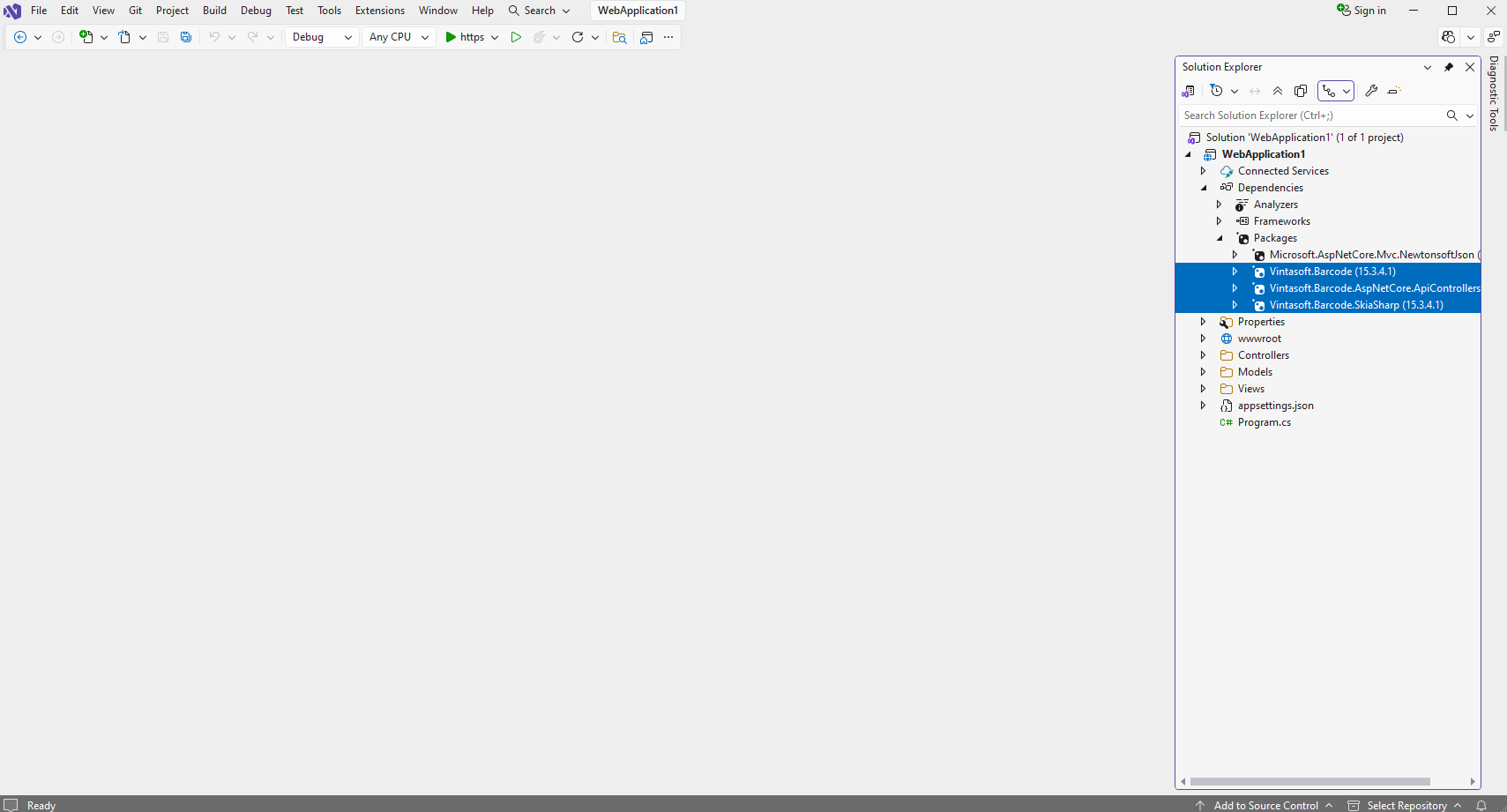
    Add references to the nuget-packages Vintasoft.Barcode, Vintasoft.Barcode.SkiaSharp and Vintasoft.Barcode.AspNetCore.ApiControllers to the ASP.NET Core project.

    If you want to use AI for detection of barcode regions, add reference to the nuget-packages Vintasoft.Barcode.AI.1D, Vintasoft.Barcode.AI.2D, Microsoft.ML.OnnxRuntime v1.23.0, Microsoft.ML.OnnxRuntime.Managed v1.23.0 to the ASP.NET Core project.

  3. Server side: Add Web API controller that allows to recognizes barcodes in image.

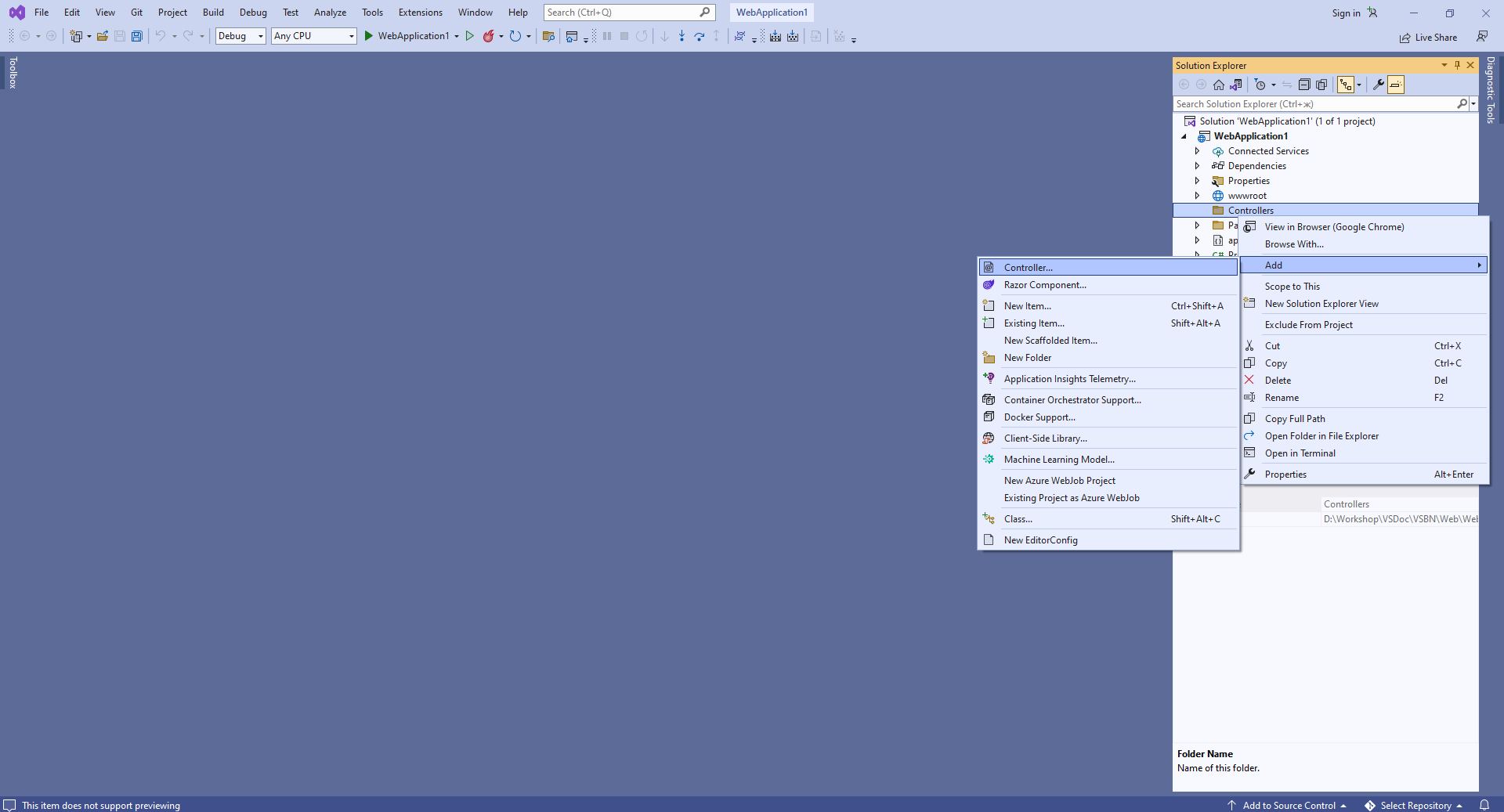
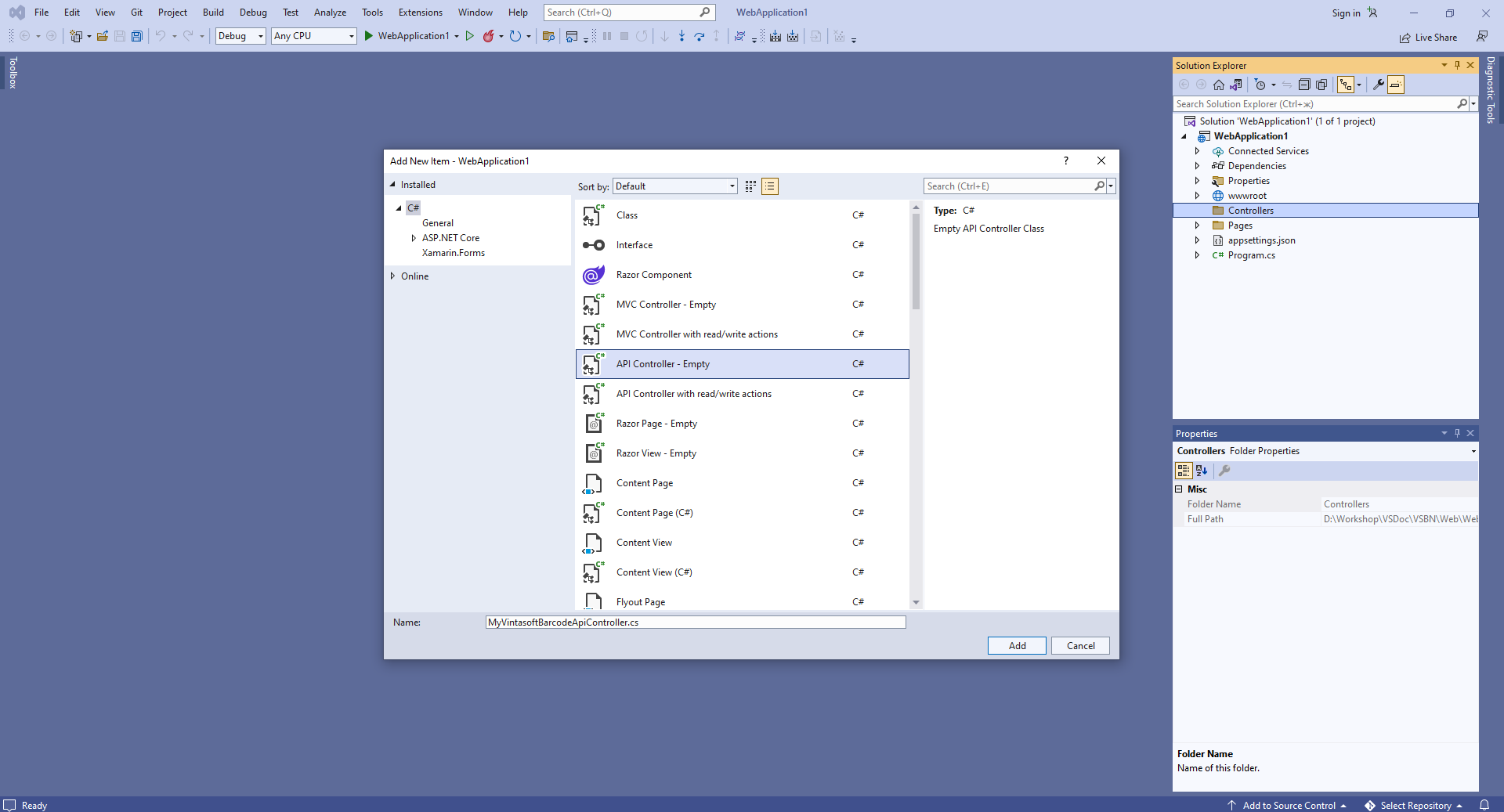
    • Press the right mouse button on the "Controllers" folder and select the "Add => Controller..." menu from context menu
    • Select Empty API controller template, set the controller name to the "MyVintasoftBarcodeApiController" and press the "Add" button
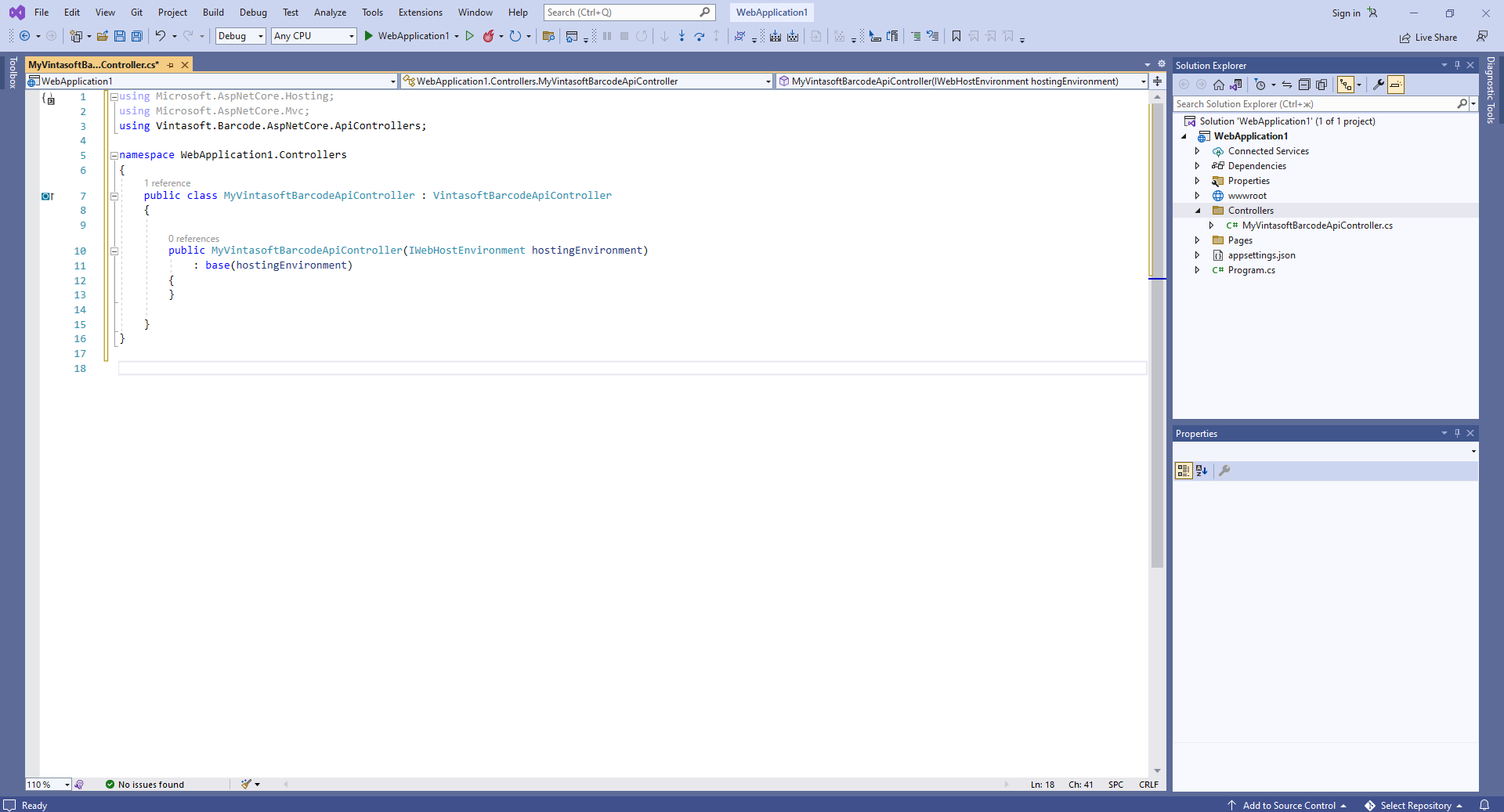
    • Specify that MyVintasoftBarcodeApiController class is derived from Vintasoft.Barcode.AspNetCore.ApiControllers.VintasoftBarcodeApiController class

      Here are source codes of MyVintasoftBarcodeApiController class:
      using Vintasoft.Barcode.AspNetCore.ApiControllers;
      
      namespace WebApplication1.Controllers
      {
          public class MyVintasoftBarcodeApiController : VintasoftBarcodeApiController
          {
      
              public MyVintasoftBarcodeApiController(IWebHostEnvironment hostingEnvironment)
                  : base(hostingEnvironment)
              {
              }
      
          }
      }
      

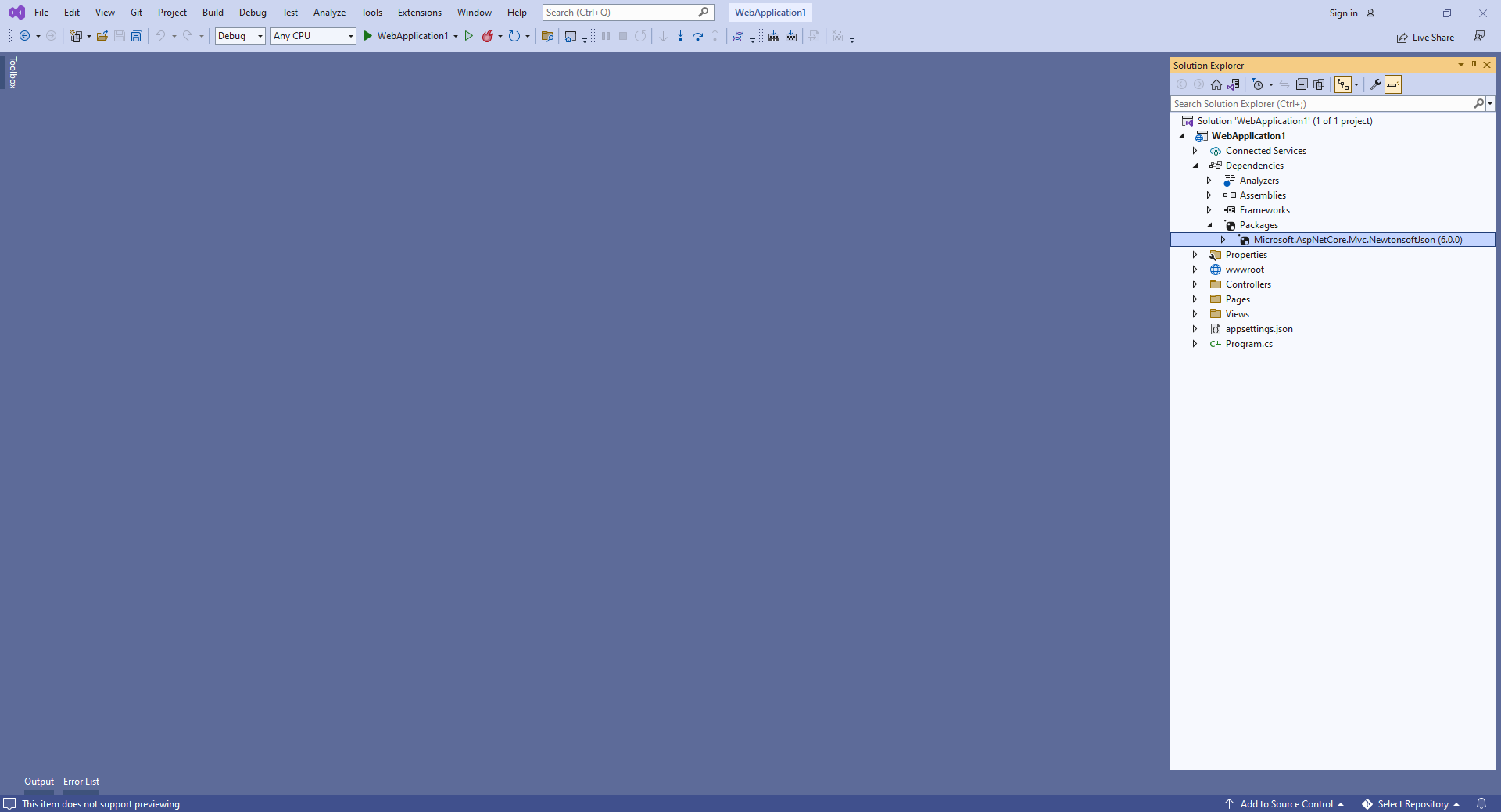
  4. Server side: Add reference to the nuget-package "Microsoft.AspNetCore.Mvc.NewtonsoftJson" for deserialization of barcode recognition results.

    • Add reference to the nuget-package Microsoft.AspNetCore.Mvc.NewtonsoftJson to the ASP.NET Core project:
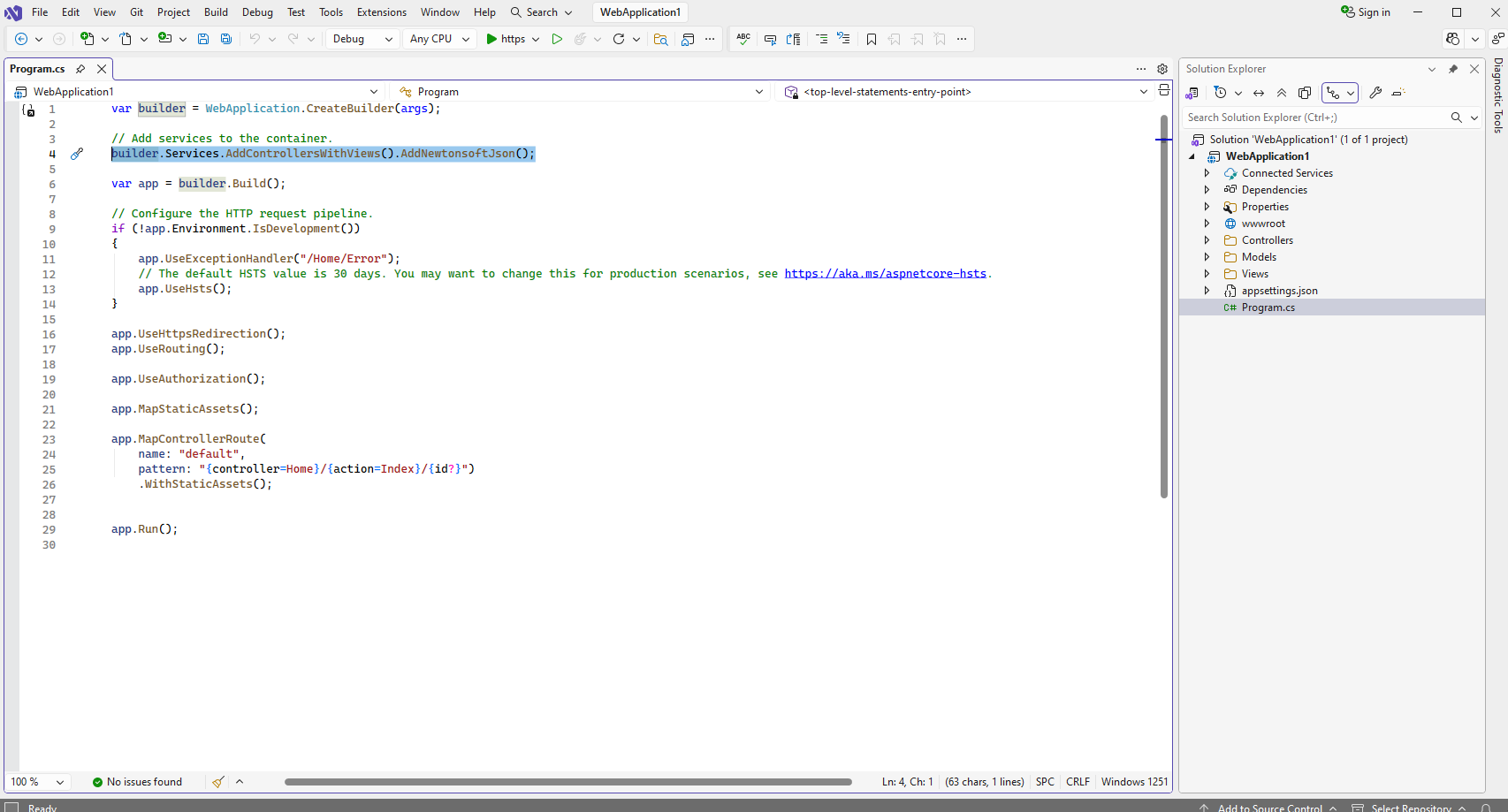
    • Open the "Program.cs" file and add code line "builder.Services.AddControllersWithViews().AddNewtonsoftJson();". This is necessary for correct deserialization of barcode recognition results.

      Here are source codes of Program.cs:
      var builder = WebApplication.CreateBuilder(args);
      
      // Add services to the container.
      builder.Services.AddControllersWithViews().AddNewtonsoftJson();
      
      var app = builder.Build();
      
      // Configure the HTTP request pipeline.
      if (!app.Environment.IsDevelopment())
      {
          app.UseExceptionHandler("/Home/Error");
          // The default HSTS value is 30 days. You may want to change this for production scenarios, see https://aka.ms/aspnetcore-hsts.
          app.UseHsts();
      }
      
      app.UseHttpsRedirection();
      app.UseRouting();
      
      app.UseAuthorization();
      
      app.MapStaticAssets();
      
      app.MapControllerRoute(
          name: "default",
          pattern: "{controller=Home}/{action=Index}/{id?}")
          .WithStaticAssets();
      
      
      app.Run();


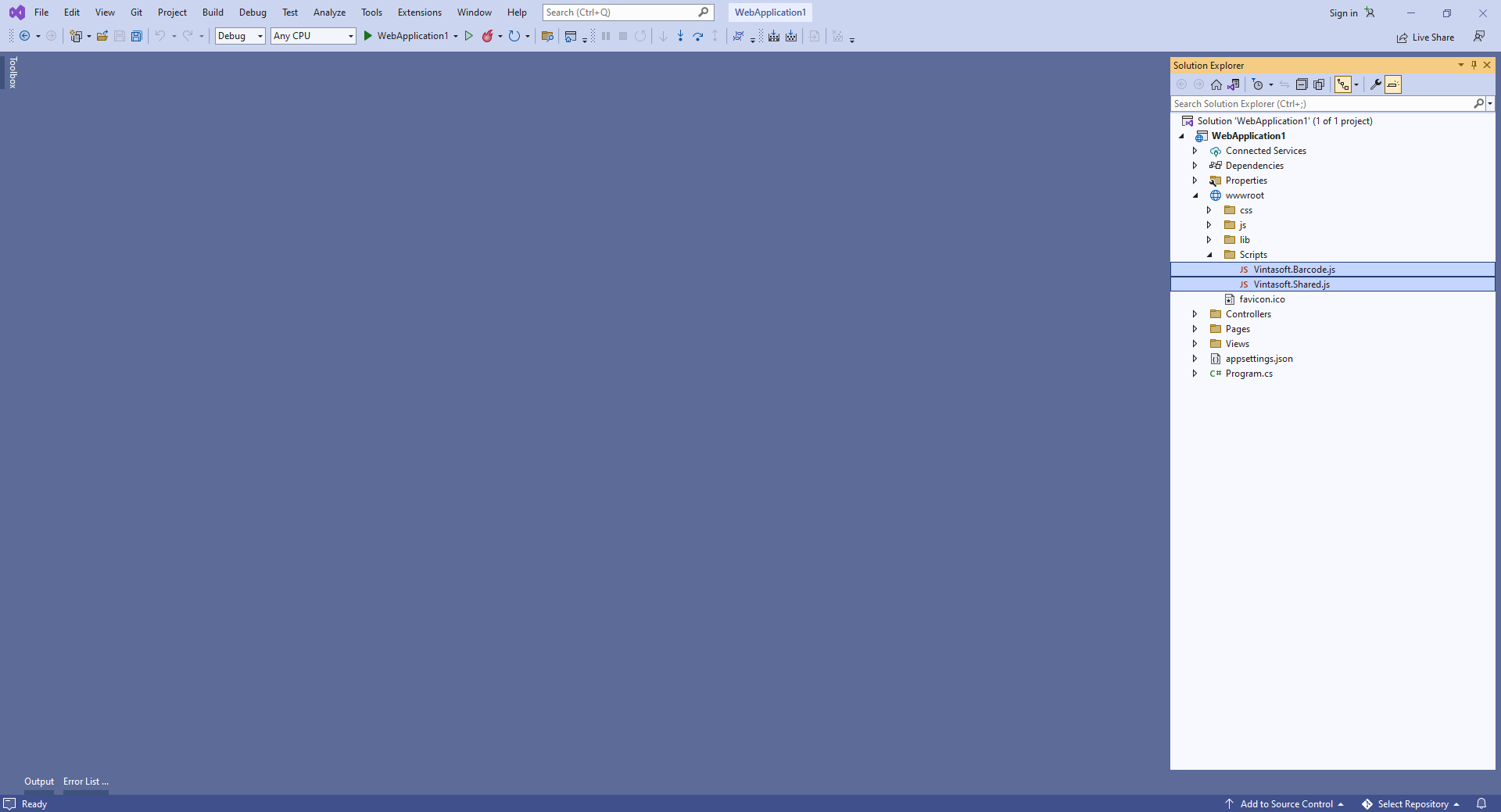
  5. Client side: Add Vintasoft JavaScript files to the project.

  6. Client side: Add JavaScript code, which recognizes barcodes in image and displays barcode recognition result, to the web view.

    • Create folder "wwwroot\UploadedImageFiles\SessionID" and copy PNG-image file with barcodes from Github to the folder. We will recognize barcodes in this image.

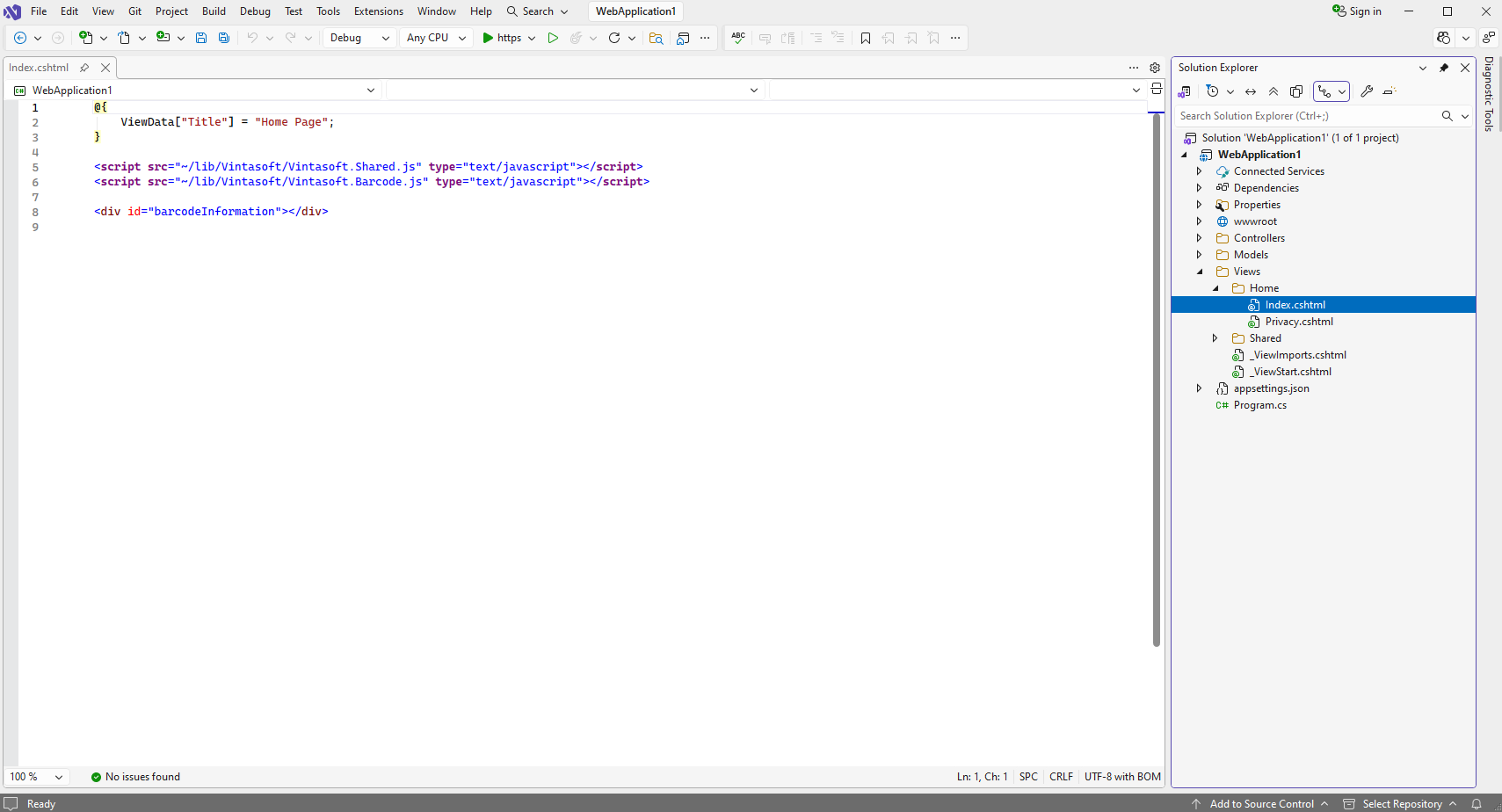
    • Open file "Views\Home\Index.cshtml", clear the file, add HTML code (references to VintaSoft JavaScript files; DIV-element that will display information about recognized barcodes) to the "Index.cshtml" file:

      Here is HTML code of "Index.cshtml" file:
      <script src="~/lib/Vintasoft/Vintasoft.Shared.js" type="text/javascript"></script>
      <script src="~/lib/Vintasoft/Vintasoft.Barcode.js" type="text/javascript"></script>
      
      <div id="barcodeInformation"></div>


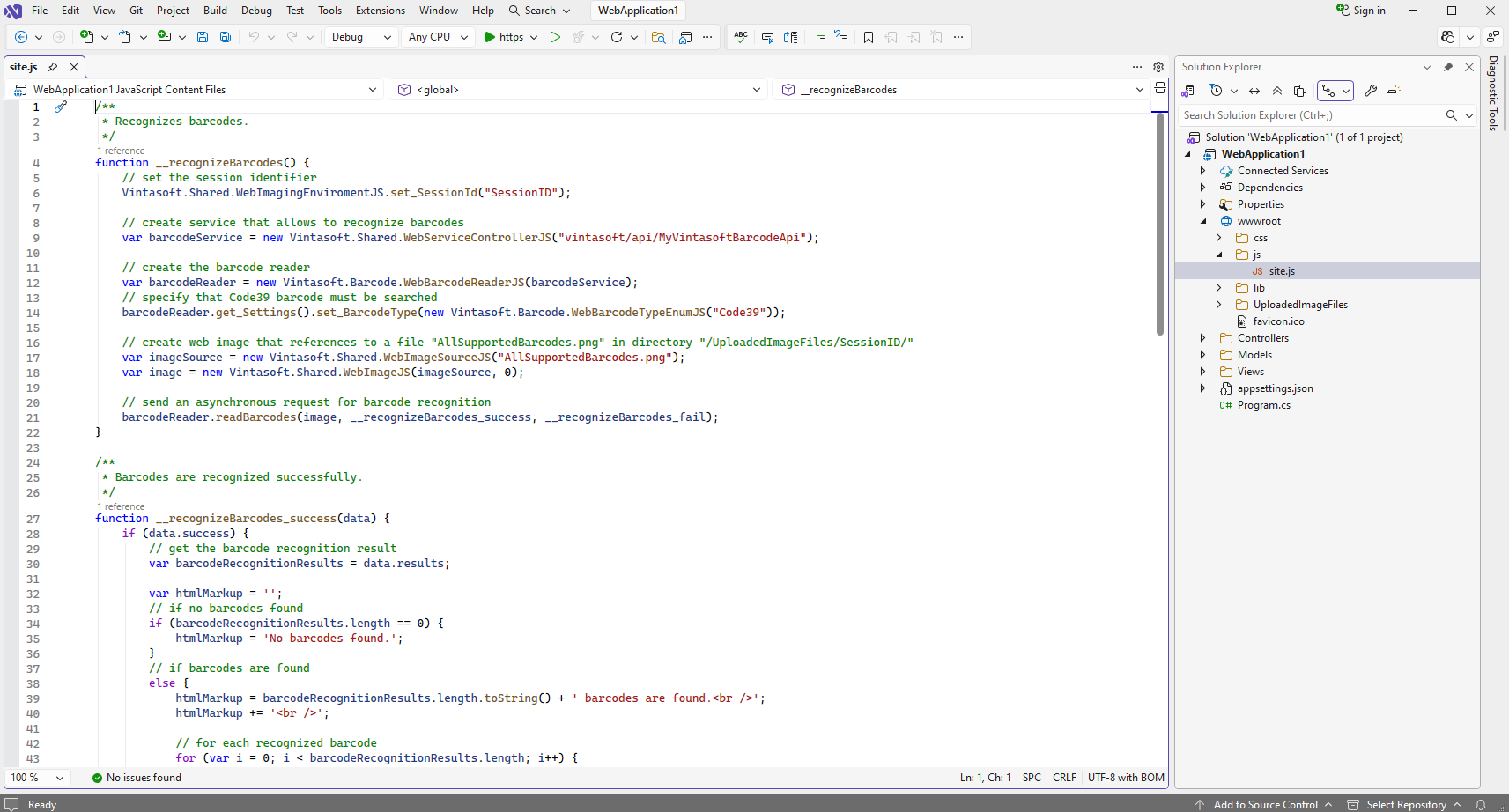
    • Open file "wwwroot\js\site.js", clear the file, add JavaScript code (recognizes barcode in image and displays barcode recognition result) to the "site.js" file:

      Here is JavaScript code that recognizes barcodes in image and displays barcode recognition result:
      /**
       * Recognizes barcodes.
       */
      function __recognizeBarcodes() {
          // set the session identifier
          Vintasoft.Shared.WebImagingEnviromentJS.set_SessionId("SessionID");
      
          // create service that allows to recognize barcodes
          var barcodeService = new Vintasoft.Shared.WebServiceControllerJS("vintasoft/api/MyVintasoftBarcodeApi");
      
          // create the barcode reader
          var barcodeReader = new Vintasoft.Barcode.WebBarcodeReaderJS(barcodeService);
          // specify that Code39 barcode must be searched
          barcodeReader.get_Settings().set_BarcodeType(new Vintasoft.Barcode.WebBarcodeTypeEnumJS("Code39"));
      
          // create web image that references to a file "AllSupportedBarcodes.png" in directory "/UploadedImageFiles/SessionID/"
          var imageSource = new Vintasoft.Shared.WebImageSourceJS("AllSupportedBarcodes.png");
          var image = new Vintasoft.Shared.WebImageJS(imageSource, 0);
      
          // send an asynchronous request for barcode recognition
          barcodeReader.readBarcodes(image, __recognizeBarcodes_success, __recognizeBarcodes_fail);
      }
      
      /**
       * Barcodes are recognized successfully.
       */
      function __recognizeBarcodes_success(data) {
          if (data.success) {
              // get the barcode recognition result
              var barcodeRecognitionResults = data.results;
      
              var htmlMarkup = '';
              // if no barcodes found
              if (barcodeRecognitionResults.length == 0) {
                  htmlMarkup = 'No barcodes found.';
              }
              // if barcodes are found
              else {
                  htmlMarkup = barcodeRecognitionResults.length.toString() + ' barcodes are found.<br />';
                  htmlMarkup += '<br />';
      
                  // for each recognized barcode
                  for (var i = 0; i < barcodeRecognitionResults.length; i++) {
                      // get the barcode recognition result
                      var barcodeRecognitionResult = barcodeRecognitionResults[i];
      
                      // output information about recognized barcode
                      htmlMarkup += '[' + (i + 1) + ':' + barcodeRecognitionResult.barcodeType + ']<br />';
                      htmlMarkup += '  Value: ' + barcodeRecognitionResult.value + '<br />';
                      htmlMarkup += '  Confidence: ' + barcodeRecognitionResult.confidence + '<br />';
                      htmlMarkup += '  Reading quality: ' + barcodeRecognitionResult.readingQuality.toFixed(2) + '<br />';
                      htmlMarkup += '  Threshold: ' + barcodeRecognitionResult.threshold + '<br />';
                      htmlMarkup += '  Region: ' +
                          'LT=(' + barcodeRecognitionResult.region.leftTop.x + ',' + barcodeRecognitionResult.region.leftTop.y + '); ' +
                          'RT=(' + barcodeRecognitionResult.region.rightTop.x + ',' + barcodeRecognitionResult.region.rightTop.y + '); ' +
                          'LB=(' + barcodeRecognitionResult.region.leftBottom.x + ',' + barcodeRecognitionResult.region.leftBottom.y + '); ' +
                          'RB=(' + barcodeRecognitionResult.region.rightBottom.x + ',' + barcodeRecognitionResult.region.rightBottom.y + '); ' +
                          'Angle=' + barcodeRecognitionResult.region.angle.toFixed(1) + '°<br />';
      
                      htmlMarkup += '<br />';
                  }
              }
      
              var barcodeInformationElement = document.getElementById("barcodeInformation");
              barcodeInformationElement.innerHTML = htmlMarkup;
          }
      }
      
      /**
       * Barcode recognition is failed.
       */
      function __recognizeBarcodes_fail(data) {
          // show information about error
          alert(data.errorMessage);
      }
      
      
      // recognize barcodes
      __recognizeBarcodes();


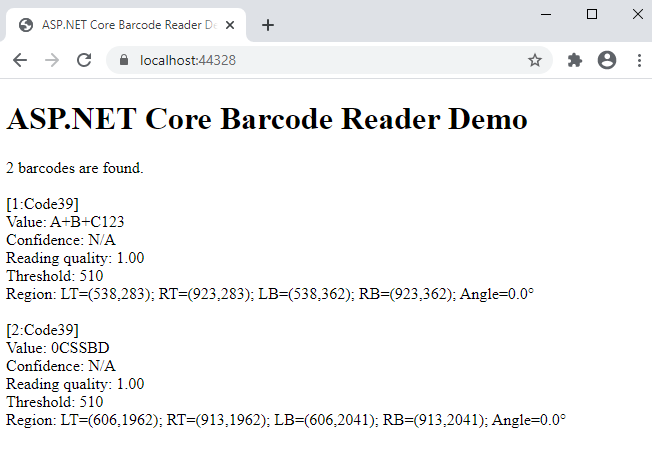
  7. Run the ASP.NET Core application and see the result.